If ‘how to choose the right CMS for your website’ is your biggest question right now, you’ve just found the best answer. It’s a long-term decision that shapes how your team creates, manages, and delivers content across every touchpoint.
Whether you’re building a personal portfolio, a high-traffic blog, or a scalable digital product, your CMS influences everything. From how fast you can publish to how easily your team collaborates, it’s the engine behind your content workflow.
If you’ve been searching phrases like choosing a CMS, headless CMS, or content management systems examples, you already know the market is overflowing with options. Each one promises to be perfect, but your business needs something specific, not a one-size-fits-all solution.
This blog clears the fog. Inside, you’ll find:
- What is a content management system (CMS)?
- Why do you need a CMS for your website?
- Essential things to consider when choosing the right CMS.
- What makes a good CMS?
- Step-by-step guide to choose the right CMS platform.
- What are the different types of CMS available today?
- Types of websites you can build with a CMS.
If you’re tired of vague advice and endless comparison charts, this post is for you. Whether you’re a startup founder, marketer, or product manager, you’ll walk away knowing what matters, what doesn’t, and how to move forward with confidence.
Pro tip: This guide covers everything you need to know about content management systems. Save it, share it, and revisit it whenever your needs change.
What is a Content Management System (CMS)?
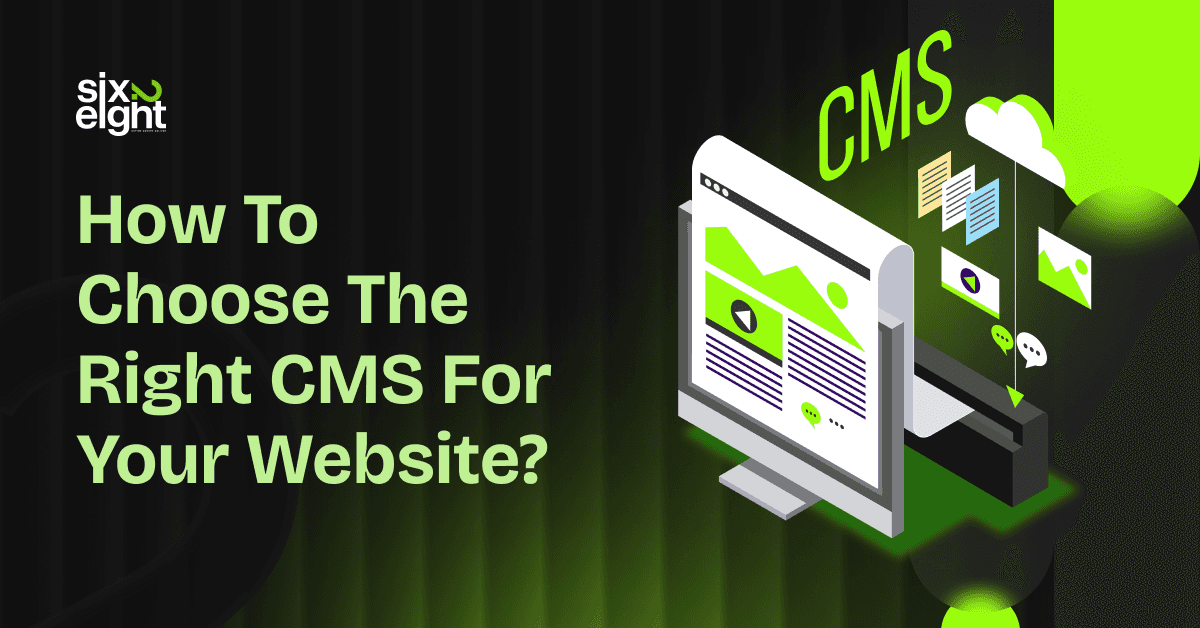
A Content Management System (CMS) is a software platform that lets users manage digital content without writing code. It gives non-developers full control to create, edit, organize, and publish content online.
CMS tools provide a visual dashboard where users can format text, upload media, and manage layouts with no technical skills. They reduce the need for custom development and speed up the content publishing process.
A typical CMS has two key parts:
- Content Management Application (CMA): This is where users add and edit content in a user-friendly interface.
- Content Delivery Application (CDA): This system stores the content and displays it to site visitors when needed.
Most CMS platforms include:
- Drag-and-drop content editors.
- User roles and permission settings.
- Media libraries for image and video uploads.
- SEO tools and plugins.
- Publishing schedules and version control.

By using templates and reusable components, CMS platforms keep the design consistent across every page. Users can also integrate tools like analytics, CRM, or marketing automation to expand functionality.
Popular CMS examples include WordPress, Joomla, Drupal, and Webflow. Businesses use them to power blogs, corporate websites, online stores, portfolios, and internal knowledge bases.
In short, a CMS helps teams build, update, and grow digital experiences without needing to code, offering speed, flexibility, and control.
Why Do You Need a CMS for Your Website?
You need a CMS to easily manage content without coding knowledge if you run a small business. If you’re a small business owner, you don’t want to call a developer for every update. A CMS gives you full control of your site.
You can edit text, publish blog posts, or update service pages anytime. You don’t need to touch a single line of code. This helps you keep things fresh without spending money on developers. A good CMS also keeps your brand’s look consistent across pages.
Most modern platforms like WordPress and Wix offer drag-and-drop features. They also include built-in SEO tools to improve your site’s visibility. You save time, reduce costs, and stay competitive. The benefits of using a CMS are clear for small business owners focused on growth.

You need a CMS to publish content faster and maintain authority
In the media, speed is everything. A CMS helps you publish news, blogs, or long-form articles fast. Editors can schedule posts, assign roles, and collaborate in real time. You don’t have to wait for developers to push content live.
Platforms like Ghost or WordPress support fast publishing cycles with editorial workflows. You also get version control, so no one messes up the final copy. That matters when you need to update breaking news or trending content.
SEO plugins help optimize headlines, meta descriptions, and internal linking. It keeps your site ranking and your audience engaged. The benefits of using a CMS in media are hard to beat when deadlines are tight.
You need a CMS for scalable product pages and marketing
If you sell products online, a CMS makes it easier to manage categories, content, and promotions. You can add new products, update descriptions, or run flash sales without help. Shopify and WooCommerce are popular CMS platforms built for this purpose.
They let you create stunning product pages and optimize them for conversions. You also get built-in inventory and shipping tools. Marketers love CMSs because they can launch landing pages and test copy fast.
With templates and SEO-friendly features, you attract more traffic and boost sales. The benefits of using a CMS for online stores include faster marketing, easier updates, and a better user experience.
You need a CMS to improve internal communication and collaboration
Large companies deal with multiple departments, announcements, and updates. A CMS helps manage all that content in one place. You can set permissions for teams, publish updates quickly, and maintain brand guidelines. Tools like Sitecore and Drupal offer enterprise-grade flexibility and user management.
Your HR team can post job openings while marketing handles press releases. Legal can review content before it goes live. Everyone works together without stepping on each other’s toes. The CMS also integrates with CRMs, analytics, and internal tools.
This makes content workflows smoother and more secure. The benefits of using a CMS in corporate settings include better collaboration, governance, and efficiency.
You need a CMS to support learning content and member access
Educators need to share resources, manage student access, and track engagement. A CMS helps you do all of that in one dashboard. Platforms like Moodle, WordPress with LearnDash, or even Webflow can support course pages.
You can upload videos, create quizzes, and gate content behind logins. CMSs make it easy to manage large libraries of educational materials. Students can access learning modules anytime from any device.
Admins can monitor progress and adjust content based on performance. This keeps learning efficient and flexible. The benefits of using a CMS in education go beyond content delivery. You get control, flexibility, and data insights to improve learning outcomes.
You need a CMS for visual content and branding consistency
If you’re a designer, photographer, or agency, your site must look sharp and load fast. A CMS gives you creative control without needing a developer every time. You can update galleries, post case studies, or change homepage layouts.
Platforms like Webflow and WordPress offer design flexibility and clean UI options. Your site stays on-brand with templates and global styles. You also get control over animations, responsiveness, and media optimization.
Most CMSs let you preview changes before going live, so nothing breaks. The benefits of using a CMS in creative fields include faster updates, better design control, and a polished user experience.
You need a CMS for multilingual support and localization
Managing multiple languages manually is a nightmare. A CMS simplifies localization by offering built-in translation tools. You can create language versions of your site in a few clicks. Platforms like Joomla, WordPress with WPML, and Contentful are built for global use.
You can assign regional editors to manage local content and promotions. SEO plugins help optimize each version for local search engines. This expands your reach and builds trust with international users.
The benefits of using a CMS for global websites include streamlined workflows, better customer targeting, and easier updates across regions.
You need a CMS to track performance and personalize content
Marketers need data to make decisions. A CMS helps you track performance, A/B test headlines, and personalize content. Most platforms integrate with Google Analytics, HubSpot, or other tools.
You can measure bounce rates, track goals, and adjust content in real time. Built-in SEO features improve organic reach while automation boosts conversions. You can target returning visitors with custom messages or offers.
A CMS makes all of this possible without developer help. The benefits of using a CMS in digital marketing include better data, faster testing, and higher engagement.
10 Essential Factors to Consider When Choosing the Right CMS
You need a CMS that’s simple for non-tech users but robust enough for your content team. Choose one with a clean interface, drag-and-drop content editing, and intuitive dashboards. Look for built-in workflows, role-based access, and approval stages to streamline collaboration.
If your team spends more time learning the CMS than using it, productivity takes a hit. Ease of use is one of the top factors to consider when choosing a CMS, especially for growing teams.
Feature set
Not every CMS includes the features your team will actually use. Focus on what matters most: version control, dynamic content blocks, media management, and multi-language support. These are the key features to consider when selecting a CMS that won’t require constant third-party plugins.
Built-in personalization and targeting also matter if you’re aiming for tailored user experiences across different audience groups.
Integration capabilities
If your CMS doesn’t integrate well with your tech stack, you’re asking for future headaches. Make sure it plays nicely with your CRM, email marketing tools, analytics, and eCommerce platform.
Native API support and third-party connector availability should be on your checklist. One of the most overlooked factors to consider when choosing a CMS is how it connects your content with your sales and marketing ecosystem.
Scalability
A CMS that can’t handle growth will cost you more in the long run. If you expect increased web traffic, more content, or global expansion, make sure your CMS can scale efficiently.
It should perform well under load, support multi-site management, and offer cloud deployment options. Flexibility to support new features or content types is a must if you want to future-proof your digital experience.
Security
When looking at the key features to consider when selecting a CMS, security should never be an afterthought. Look for two-factor authentication, SSL support, access permissions, and routine security patches.
Make sure the CMS complies with relevant data protection laws like GDPR. For organizations in finance or healthcare, compliance-level security is non-negotiable. Don’t assume all CMS platforms treat security with the same urgency.
Development compatibility
Choose a CMS that fits your current development environment and infrastructure. Whether you’re running on PHP, .NET, or Node.js, don’t force your team to switch languages or hosting preferences.
Consider whether you prefer a self-hosted or SaaS model, and make sure the CMS supports it natively. This factor often influences developer happiness and ongoing maintenance costs more than you’d expect.
Vendor support
Even the best CMS will need support at some point. Choose a platform backed by strong vendor support, helpful documentation, and an active user community. That support can reduce downtime and ease implementation.
Check if the vendor offers onboarding help, dedicated account managers, or access to partner agencies. Support and roadmap transparency are essential factors to consider when choosing a CMS for long-term use.
Cost
Upfront pricing is only part of the cost story. You need to account for customization, integration, training, and ongoing maintenance. Also, factor in the cost of adding new features later on.
The cheapest CMS can become the most expensive if you need to bolt on too many external tools. Total cost of ownership should be one of your key considerations before making a final choice.
SEO features
You need a CMS that gives you full control over SEO settings without plugins. That means editable meta tags, customizable URLs, schema markup, and sitemaps. Bonus if it has native integrations with Google Analytics or Search Console.
One of the most important factors to consider when choosing a CMS is how it helps your content rank. If SEO matters to your business, don’t settle for weak built-in tools.
Omnichannel readiness
Your CMS shouldn’t just handle today’s needs. It should also support emerging content formats and platforms. That includes mobile-first content, app integrations, and headless capabilities.
A flexible CMS lets you serve content through APIs, keeping you ready for voice, IoT, or AR in the future. Structured content modeling, taxonomy management, and headless options are the key features to consider when selecting a CMS that can evolve with your strategy.
Step by Step Guide to Choose the Right CMS Platform?
Choosing the right CMS isn’t about picking the trendiest name. You need a system that fits your business like a glove. Here’s a practical, step-by-step breakdown of how to choose the right content management system (CMS).
Step 1: Understand your website goals and use cases
You need to define what your CMS should help you achieve. A marketing agency may need fast content updates and analytics, while an online school may need gated content and user roles. Ask yourself what your team does daily, weekly, and rarely, and list the tasks.
This is how you build your requirements for content management system selection. Every CMS looks good in a demo, but only your real use cases show what’s useful. If you’re building a high-volume publishing site, scalability and automation might top your list.
For internal portals, access control and integration features could matter more. Use this list as your North Star when comparing platforms.
Step 2: Check how tech-savvy your team is
You should avoid systems that need developers for every little update. If your team isn’t technical, look for a CMS tool with an intuitive UI and drag-and-drop features. A good interface reduces training time and avoids bottlenecks when someone’s out sick.
For example, small marketing teams often benefit from visual editors like Webflow or Wix Studio. Developers may prefer headless CMS options like Strapi or Contentful. When choosing a CMS, your team’s comfort level with technology should directly impact your decision.
Step 3: Focus on Scalability from Day One
You need a CMS that grows with your business. Whether you’re a startup or an established brand, don’t buy for today, buy for the next two years. Look for features like content versioning, custom roles, and support for multiple domains.
If you’re planning a multilingual site or a product catalog with thousands of SKUs, your platform should handle it without breaking. Scalability isn’t just about traffic. It’s about how the CMS adapts as your content grows and your team expands.
Step 4: Prioritize Support and Community
You should never feel stranded when something breaks. A CMS with strong documentation, an active community, or dedicated support is a safer bet. Look for platforms with 24/7 live chat, forums, and tutorials.
If your CMS has no real-time support or takes three days to reply, your launch could be in serious trouble. For example, WordPress has one of the largest support ecosystems in the world.
Meanwhile, HubSpot CMS offers live chat and phone support for paid tiers. Good support saves you from losing both time and trust.
Step 5: Test Before You Commit
You should always try before you buy. Run a proof of concept to evaluate your CMS in real use. Create a small section of your site, and have your team test tasks like adding blog posts, building pages, or setting up workflows.
This gives you insight into the real experience and potential issues. Many content management systems examples seem great until you discover quirks during daily use. Testing exposes hidden friction and helps you avoid buyer’s regret.
Step 6: Review Integration and Customization Options
You need to make sure your CMS plays nice with your existing tools. Whether it’s your CRM, analytics stack, or marketing automation platform, smooth integration is essential. Some CMS platforms offer plug-and-play options, while others need API work.
For example, if you’re using HubSpot, a native CMS like HubSpot CMS might make life easier. Headless CMS options shine here because you can build your own front-end with complete freedom. When choosing a CMS, think about your entire tool stack, not just your website.
Step 7: Consider Content Workflow and Permissions
You should ensure your CMS fits how your team actually works. If multiple people edit content, review drafts, and schedule posts, your system must support workflow management. Look for features like draft saving, approval chains, and user roles.
Teams with complex content processes need CMS platforms that offer detailed permission settings. This keeps your content secure and organized without micromanagement.
If you’re an agency or large company, workflow is often the deciding factor in choosing the right content management system CMS ppt or proposal.
Step 8: Compare Security Features and Hosting Options
You need a CMS that takes security seriously. That includes SSL, regular updates, user authentication, and backups. Some platforms offer managed hosting with built-in protection, while others leave that to you.
WordPress, for example, is flexible but needs plugins and third-party services for top-level security. Platforms like Webflow and HubSpot handle hosting and security in one package. If you collect user data or run transactions, security features shouldn’t be an afterthought.
Step 9: Don’t Skip the Cost of Ownership
You should calculate the total cost, not just the upfront pricing. That means factoring in themes, plugins, custom development, hosting, training, and support. Sometimes a free CMS ends up costing more than a paid one due to hidden add-ons.
If you’re running a business, budget clarity is key. Ask vendors for detailed breakdowns and consider what scaling will cost in the long run. Choosing a CMS is part tech decision, part financial strategy.
Step 10: Think Long Term Before Lock-In
You should plan for how easy it is to leave your CMS if needed. Some platforms make migration simple, others make it painful. Consider how your content is stored and how exportable it is.
Proprietary CMS solutions often come with heavy lock-in. Open-source or headless CMS options can give you more control and future-proofing. The last thing you want is to be stuck with a platform that can’t grow or adapt to what’s next.
This step-by-step guide gives you a blueprint on how to choose the right content management system (CMS). Take your time, test real use cases, and pick based on what your team actually needs.
What are the different types of CMS available today?
Content Management Systems have come a long way. You’ve got plenty of options depending on what you’re trying to manage, scale, or simplify. Here’s a breakdown of the most common types of CMS platforms you can choose from, and how each one fits into different content strategies and business models.

Web Content Management Systems (WCMS)
Web Content Management Systems help you create and publish websites without coding everything manually. They offer visual editors, reusable templates, and plugin options. If you’re running a blog, portfolio, or marketing site, this type of CMS is perfect. You can manage content quickly and publish updates in minutes.
Popular options include WordPress, Webflow, Shopify, Joomla, and Drupal. These platforms are great for marketers, freelancers, and small business owners who want control without technical complexity. They’re also optimized for SEO and support third-party tools easily.
Enterprise Content Management Systems (ECM)
Enterprise CMS platforms are built for large businesses that need to manage massive document repositories. You can store records, automate workflows, and maintain tight access control.
Tools like SharePoint and Sitecore let your teams collaborate while staying compliant with internal policies. These systems usually include audit trails and advanced permissions.
If you deal with contracts, employee files, or legal docs, an ECM is a safe bet. This type also integrates with your internal tools like CRM or ERP software.
Digital Asset Management Systems (DAM)
Digital Asset Management platforms help you organize images, videos, and brand files in one place. You’ll get tagging, version control, and rights management features. If your team creates a lot of visual content, this saves time and keeps everyone on-brand.
Companies like Bynder and Widen Collective make it easy to distribute assets across departments and marketing campaigns. Agencies and media teams use DAM systems to avoid digging through cluttered drives or resending files 100 times.
Document Management Systems (DMS)
A Document Management System helps you digitize, store, and track documents across your company. These platforms come with version tracking, access controls, and workflow automation. You can reduce paperwork and eliminate manual processes.
If you’re still using PDFs and email chains to manage approvals, a DMS can clean that up fast. Tools like M-Files and DocuWare are great fits for finance, legal, and HR departments handling confidential or process-heavy documents.
Component Content Management Systems (CCMS)
Component CMS platforms break content into smaller reusable pieces. You can manage content at the paragraph, image, or sentence level. This makes it easier to repurpose materials across documents, languages, or platforms.
It’s built for technical writing, knowledge bases, and regulatory content. If your business runs heavy documentation, think aviation, pharmaceuticals, or software, this is your lane. SDL Tridion and Adobe Experience Manager lead in this space. You’ll spend less time redoing work and more time publishing high-quality, consistent content.
Headless CMS
A Headless CMS delivers content through APIs, keeping the backend separate from the frontend. This gives you full control over how and where your content shows up. You can push updates to websites, mobile apps, smart devices, and more.
If your dev team loves React or Vue, this setup fits right in. Contentful, Strapi, and Prismic are strong options here. Startups, SaaS companies, and omni-channel brands love the flexibility. You can also scale faster without being tied to one frontend stack.
Cloud-Based (SaaS) CMS
SaaS CMS platforms are cloud-hosted, which means no server setup or manual updates. You get easy access from any browser, and your provider handles maintenance. Wix and Squarespace are top picks for drag-and-drop editing.
If you’re a solopreneur, small business, or new brand trying to get live fast, this option is smooth. You don’t need a developer on speed dial to manage changes or test new designs. Collaboration features also help distributed teams work together in real-time.
Open-Source CMS
An Open-Source CMS gives you full access to the code so you can customize everything. You won’t pay licensing fees, but you’ll need some dev support. WordPress, Joomla, and Drupal are the most widely used platforms in this category.
If you want flexibility without vendor lock-in, open-source is ideal. It’s great for agencies, nonprofits, and tech-savvy teams building long-term digital ecosystems. There’s also a strong community backing, so you can always find tutorials or plugins when needed.
Proprietary CMS
Proprietary CMS platforms are developed and maintained by companies, usually with a license or subscription fee. You get customer support, regular updates, and enterprise-grade features. These systems are built to work out-of-the-box with minimal configuration.
Adobe Experience Manager, HubSpot CMS, and Sitecore fall under this category. If your team doesn’t want to deal with maintenance or plugin conflicts, go this route. These tools often come bundled with CRM, marketing, and analytics tools.
Custom CMS
A Custom CMS is built from scratch for your specific needs. You decide what features you want and how everything works. This type is best when you can’t find anything off-the-shelf that does the job right. If you’re in fintech, healthcare, or logistics, a custom CMS may make sense.
You get full control and zero bloat. Many companies build these on frameworks like Laravel or Next.js. But remember, this route costs more upfront and takes time to develop.
FAQs
What is the best CMS for beginners?
The best CMS for beginners is WordPress due to its huge market share and ease of use. It has an intuitive dashboard and supports thousands of themes and plugins. Many hosting providers offer one-click installation and managed updates. Users benefit from extensive tutorials, community forums, and third-party tools. WordPress works well for blogs, portfolios, small business sites, and even online stores. Its flexible ecosystem allows beginners to scale their site over time.
What are the basic 4 features of CMS software?
A solid CMS includes an easy-to-use dashboard for managing pages, posts, and media. It provides responsive templates that ensure website layouts adapt across devices. It offers content editing tools with history tracking and version control to rewind changes. It integrates SEO and analytics capabilities to help monitor traffic and optimize content. These four core elements enable creators to publish, design, revise, and measure effectively.
What is the best CMS for a small business website?
For small business websites, WordPress remains the top choice in 2025. Its flexible plugin ecosystem covers e‑commerce, SEO, booking systems, and more. It is cost‑effective thanks to free core software and many affordable themes. Self‑hosted or managed WordPress plans support growth without requiring platform migration. Alternatives like Wix, Shopify, and Webflow serve niche needs. Wix provides drag‑and‑drop simplicity, Shopify excels in online sales, and Webflow is design‑focused.
Do you need a CMS to build a website?
You don’t strictly need a CMS to build a website if you write custom code or have a developer. Static or web‑app sites can work without one. But if you update content often or want non‑technical editing access, a CMS is highly recommended. A CMS handles templates, routing, media, SEO tools, and content workflows automatically. Without a CMS, each change requires manual coding or developer involvement. For content‑focused or marketing sites, CMS use is ideal.
Final Thoughts
Choosing the right content management system is more than just picking software. It’s about building a content engine that fits your team, your goals, and your growth plan. Whether you’re chasing better SEO, faster publishing, or easier collaboration, the right CMS makes all the difference.
This guide breaks down everything from core features to long-term decisions so you don’t get stuck with the wrong tool. Take the time to test, compare, and choose what truly works for your business. Your future content strategy will thank you.