Ever opened an app and felt lost, not knowing where to tap next? That’s poor interaction design. So, what is interaction design? It’s the process of creating smooth, intuitive ways for users to interact with digital products.
The definition of interaction design focuses on behavior, not just visuals. In UX and HCI, interaction design shapes how people use and feel about technology. Good design makes every click and swipe easy and meaningful. From simple app gestures to complex systems, strong interaction design builds better user experiences.
In this guide, you’ll explore key principles, examples, and insights from the Interaction Design Foundation to understand what makes interactions truly work.
Definition of Interaction Design
Understanding the definition of interaction design is essential for anyone involved in creating digital products. Interaction design (IxD) is the practice of shaping how users interact with products, services, and systems. It goes beyond just visuals, focusing on behavior, feedback, and usability to ensure every action feels natural, intuitive, and satisfying.

Whether you’re a product owner, startup founder, or website manager, knowing what interaction design is can transform how users experience your product.
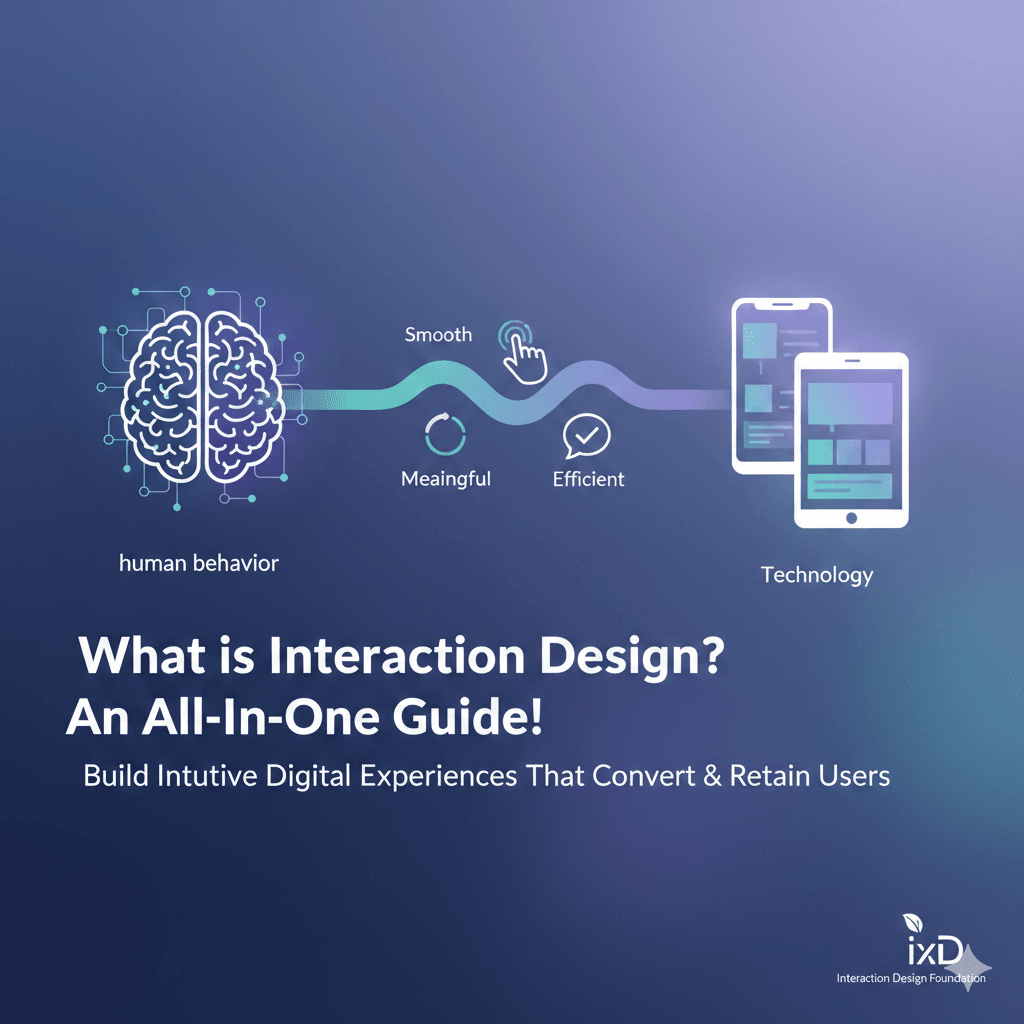
Interaction design bridges the gap between human behavior and technology. Its goal is simple: make interactions smooth, meaningful, and efficient. Poor interaction design leads to frustration, errors, and abandonment, while thoughtful design builds trust, engagement, and loyalty.
Here’s a deeper look at the core aspects of interaction design.
What is Interaction Design in UX
In interaction design in UX, the focus is on creating flows and interfaces that help users complete tasks effortlessly. Designers analyze user behavior, anticipate needs, and create systems that guide actions without confusion. Unlike UI design, which focuses on aesthetics and layout, interaction design ensures the product responds logically to user input, creating seamless experiences.
What is Interaction Design in HCI
Interaction design in HCI (human-computer interaction) emphasizes the study of how people communicate with technology. While HCI covers cognitive psychology, ergonomics, and system design, interaction design zeroes in on the “how.” How does a user navigate an app? How do they respond to feedback? How can interfaces feel intuitive? This focus makes products more usable, accessible, and enjoyable.
Interaction Design Examples
Successful interaction design examples include everyday experiences like:
- Tap gestures in mobile apps that feel natural from the first use
- Responsive buttons that provide instant feedback
- Smooth onboarding flows that guide new users
- Clear navigation in dashboards that reduces confusion
These examples show how careful IxD improves user satisfaction and engagement.
Interaction Design vs UX Design
While interaction design vs UX design often overlap, they are distinct. UX design covers the overall user experience, including research, strategy, and content. Interaction design specifically shapes the behavior of interface elements, defining how users interact with them. Both roles complement each other, ensuring products are both usable and delightful.
What are the 5 Dimensions of Interaction Design?
The five dimensions of Interaction Design give product teams a practical way to understand how users think, feel, and act inside a digital product. When Interaction Design is planned with these dimensions in mind, products become easier to use, easier to navigate, and more satisfying for users across different platforms and devices.

1D: Words
This dimension focuses on the language users see on buttons, menus, prompts, form labels, and notifications. Clear wording in Interaction Design guides actions, sets expectations, and helps users understand what happens next. A simple and direct button label can reduce confusion and make the flow feel natural.
2D: Visual Representations
Visual elements such as icons, images, typography, layout, and overall composition fall under this dimension. Strong visual choices help communicate meaning without needing long explanations. A familiar symbol, like a trash bin for delete or a downward arrow for download, lets users understand the function instantly.
3D: Physical Objects and Space
This dimension recognizes the reality that users interact through devices with different screen sizes and physical limitations. Interaction Design has to consider whether users are tapping, clicking, typing, swiping, or using a touch screen on the go. Good product decisions make sure the interface feels comfortable and natural across screens and physical settings.
4D: Time
Time refers to elements that change as users move through an interface. Animations, transitions, audio cues, loading indicators, and motion feedback help users understand what is happening behind the scenes. When a button animates after a click or a progress bar fills up during loading, users feel more in control of the process.
5D: Behavior
Behavior looks at how users take action and how the system responds. Interaction Design in this dimension focuses on predictability, consistency, and helpful system reactions. Users should always feel confident in what happens after they act, and they should be able to recover from mistakes without stress.
Understanding these five dimensions helps Interaction Design move beyond aesthetics and into real problem-solving. It gives product owners, startup founders, and managers a framework to build intuitive digital products that guide users smoothly from action to outcome.
Why is Interaction Design Important?
Interaction Design matters because it shapes how people use and experience a digital product from the first tap to the final action. When Interaction Design is strong, users move through a website or app with confidence, without stopping to figure out what to do next. This leads to higher task completion, fewer errors, and a better overall impression of the product.
For product owners and managers, good Interaction Design directly supports business goals. It helps reduce support tickets, builds user loyalty, and keeps people engaged rather than frustrated. If the interface guides users naturally, they feel in control and trust the product more.
Startup founders and business owners also benefit from Interaction Design that puts clarity and usability first. When the product feels easy to use, customers are more likely to return, recommend, and choose the business over competitors. Strong Interaction Design builds a silent but powerful competitive advantage without needing constant explanations or hand-holding.
Principles of Interaction Design
The core principles of Interaction Design act as a roadmap for creating digital products that feel natural, logical, and easy for users to navigate. When designers apply these principles with real user behavior in mind, screens become more than layouts and buttons. They turn into experiences that guide people with confidence and reduce friction for product owners, managers, and startup teams aiming to ship products that truly work.
Visibility
Users should instantly understand what can be done on a screen. The more obvious an option is, the faster someone recognizes how to use it. The challenge is giving focus to the most important actions without crowding the interface.
Feedback
Users should never wonder whether the system heard them. A tap, click, or interaction should trigger a visual, audio, or motion response that confirms the outcome. This makes the experience feel responsive and reliable.
Constraints
Healthy limits can improve clarity. When users only see the actions that matter in a given moment, they are less overwhelmed and more likely to make progress. Reducing unnecessary choices makes navigation more intuitive.
Mapping
Controls and results should feel connected in a way that makes sense without explanation. Whether moving a slider or selecting a menu, users should predict the system response before it happens. Natural mapping leads to faster learning and fewer mistakes.
Consistency
When similar actions feel familiar across screens, users spend less time re-learning and more time achieving what they came to do. Consistency builds trust and supports seamless navigation across devices.
Affordance
Good Interaction Design gives visual or functional clues that show how something is meant to be used. A button should look pressable, and a link should feel clickable. Strong affordance makes the interface self-explanatory, even on a user’s first visit.
These principles help designers build Interaction Design that feels simple on the surface but intelligent behind the scenes. They empower businesses to create digital products that guide users smoothly, reduce confusion, and support long-term engagement.
FAQs
What is an example of interaction design?
An example of interaction design is a mobile app button that responds with animation, color change, or sound the moment a user taps it. The interaction shows that the action worked, removes confusion, and guides the user through the journey. This type of design helps users understand the product without reading instructions. Interaction design focuses on how users behave and how the product responds in a clear digital flow. It keeps the experience simple, fast, and easy to understand while supporting usability and user satisfaction.
What is another name for interaction design?
Another name for interaction design is IxD. It describes the process of planning how users move, tap, click, and engage with screens and digital elements. IxD focuses on responses, feedback, micro interactions, and the overall experience between user and interface. It helps digital products feel natural and intuitive. Interaction design is also linked to UX design because both improve user satisfaction and product clarity. IxD supports smoother navigation, better usability, and meaningful digital communication between the user and the system.
What skills are needed for interaction design?
Skills needed for interaction design include usability research, wireframing, prototyping, and understanding visual hierarchy. Designers must think from the user’s point of view and create responses that make actions feel natural and predictable. Strong testing skills help identify issues before development. Problem-solving, communication, storytelling, and attention to detail improve the final product. Interaction designers also benefit from knowledge of design tools, behavioral psychology, and user flow planning to build digital experiences that feel smooth and easy to follow.
Final Word
Interaction design is the key to making digital products feel natural and easy to use. It focuses on how users move through screens, understand feedback, and complete tasks without stress. When teams apply interaction design with clarity, users feel supported from the first action to the last. This guide explained what interaction design is and how it connects with UX and HCI. Strong interaction decisions help products reduce confusion, increase trust, and support real goals for product owners and startups. With the right approach, interaction design turns everyday taps and clicks into smooth digital journeys users enjoy returning to.